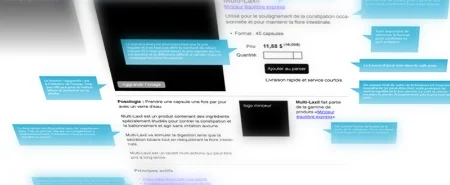
Build the prototype to aid in new product discovery
In recognizing that we were finally in a position to start gathering real requirements from a prime new customer, I decided to move forward with building a prototype for a new product offering.
The Product Decision: Complete a working prototype that we could use to drive productive conversations with customers around requirements.
Flickr image source: http://tinyurl.com/pfyguao
In recognizing that we were finally in a position to start gathering real requirements from a prime new customer, I decided to move forward with building a prototype for a new product offering.
The Product team had known for some time that we had a legitimate gap in our product portfolio around an MS Office 365 Plug-In but we were not overly anxious as it was clear that the gap was not preventing the company from winning new deals. Even though our main competitor would regularly raise the issue with prospects during the sales cycle, drawing attention to our "deficiency", it had never cost us a sale.
The MS Office 365 Plug-In saga continues to unfold...
You can review the entire story through my past Product Decisions:
HEAD OFF A NEW PRODUCT IDEA BEFORE IT GAINS ANY MORE STEAM
CLARIFY WIN-LOSS SPECULATION WITH POST-MORTEM INTERVIEWS
BUILD A QUICK PROOF OF CONCEPT
From the beginning, when this "urgent need" was first identified, I had been steadily pushing back on internal stakeholders (see sidebar). I knew we didn't have the available resources or bandwidth to tackle this and without a line of customers outside my "product door" clamouring to have the new feature, I was hesitant to even start conversations around the Plug-In.
What drove this decision
In the previous quarter, we had signed our biggest customer in the company's history and, in our lengthy discussions with them around their needs, we had identified the (missing) Plug-In as a key, must-have feature.
This one customer, when fully deployed, could have more than 2,000 people using the new Plug-In. Based on those numbers, it seemed reasonable to me that we now had a decent base of users from which we could start to gather some useful insights.
The decision: Complete a working prototype that we could use to drive productive conversations with customers around requirements
I was eager to start talking with and observing real users in the field but I didn't want to do that using the low fidelity and crudely fashioned proof-of-concept we had completed a few months back. It was time to build and start testing with a real, functioning prototype.
Plan of attack
We were still very early in the product cycle for this Plug-In and there was no pressure to cut corners or skip steps in our product discovery process. I wanted to make sure we used a disciplined approach.
In this first phase, we would create a prototype that would give our Tech team more confidence in what it would ultimately take to develop and support such an app AND that would give the Product Team enough material to have meaningful discussions with the first round of users.
Vet the feasibility of our technical approach with Engineering

Flickr image source: http://tinyurl.com/p65wgqb
I had some solid ideas for how to create an initial version of the Plug-In though it was fair to say that we would be forging into unfamiliar territory. The Tech team had never developed this kind of app but we knew we would be getting support from our friends at Microsoft who is one of our key technology partners.
The first step in building the prototype was making sure our team could nail down some of the technology challenges that we would face. For example, high on our list were questions about user authentication, API access, and deployment of the app to customers through Microsoft's "online store".
So, over the course of a few weeks, the team completed a functioning prototype that addressed these areas of concern. Now, more confident that we had cleared the most immediate technical hurdles, I proceeded with getting some internal validation.
Share the prototype with stakeholders inside the company
I very much wanted to show the prototype to our Sales Engineers. They had always been good product collaborators and certainly understood the broad use case for the Plug-In. I set up a meeting with them and the Product team and with the Engineers to get and record some early usability feedback.
On the way to that meeting, I made a small detour to give a brief demonstration to our CEO as a courtesy “first look". He had taken a keen interest in this initiative and had been stalking me for many weeks. And even though we had only addressed the most simple use case in this iteration, he was very impressed with our rapid progress. My only regret was letting an Engineer run the demo - who uses superheroes for their sample data? Ha!
I should have known not to let an Engineer run the demo - who uses superheroes for their sample data?
We then sat with the Sales Engineers and reviewed our current hypotheses with them. They see much more front-line action with prospects in the sales cycle and helped validate our approach, often tying back to their deals from the past weeks and months.
I then had each of them install the Plug-In on their own machines to test it out. The response was overwhelmingly positive and we could see them already thinking about how they might adjust their standard demo scenarios to incorporate this new component.
One of them suggested they start using the Plug-In immediately to help them with one of their own team activities and I offered to check back in with them in a few weeks to see how it worked for that additional use case.
Show it to the technology vendor on whose platform our prototype was built
We had invited representatives from our partner Microsoft into our office for a high-level meeting to talk about Office 365 integration among other things. The timing of their visit provided a perfect opportunity for a prototype demo and to show what we had achieved in the past few weeks, with some help from their own technical folks.
After setting up the customer scenario with the group, we walked them through the working prototype and talked through some of the challenges we had worked through to get to this point. The Microsoft team provided additional validation around our approach for the Plug-In and gave us some pointers for how we could move forward. Our remaining questions were captured and would be carried back to their teams to help get us the answers we would need before rolling this out, even to beta customers.
In the end, I was pleased to know that our partner was ready to help us with next steps. They also expressed interest in the upcoming deployment with our new customer as it would provide a great case study for both us and them.
The impact
With the Engineering team, I was able to work through a few of the big technical unknowns to build a working version of the Plug-In. By meeting with and showing off the Plug-In to a few internal resources, we were able to get some early, but solid validation. And in reviewing the finished work with the vendor on whose platform we had built the Plug-In, we confirmed that we were on the right track in how we were going to deploy and support the new product.
But none of this would be worth anything if we didn’t immediately start validating the Plug-In with actual users. That work would likely start the very next week and is lining up to be the next chapter in this series.
Look for more reports from theProductPath around product validation, feasibility, and product investments here on PM Decisions.
More articles from our blog PM Decisions


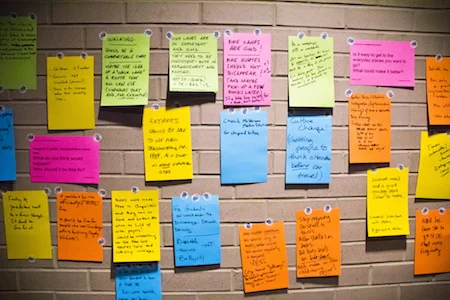
Brainstorm a product solution for customers
After collecting far too many stories about how customers had resorted to stitching together different parts of our product to solve the same problem, I decided to regroup with the extended product team to revisit how we might address the actual needs of our users.
The Product Decision: Go back to the drawing (white-) board to review this prominent customer use case and find a more suitable way to solve this for our users.
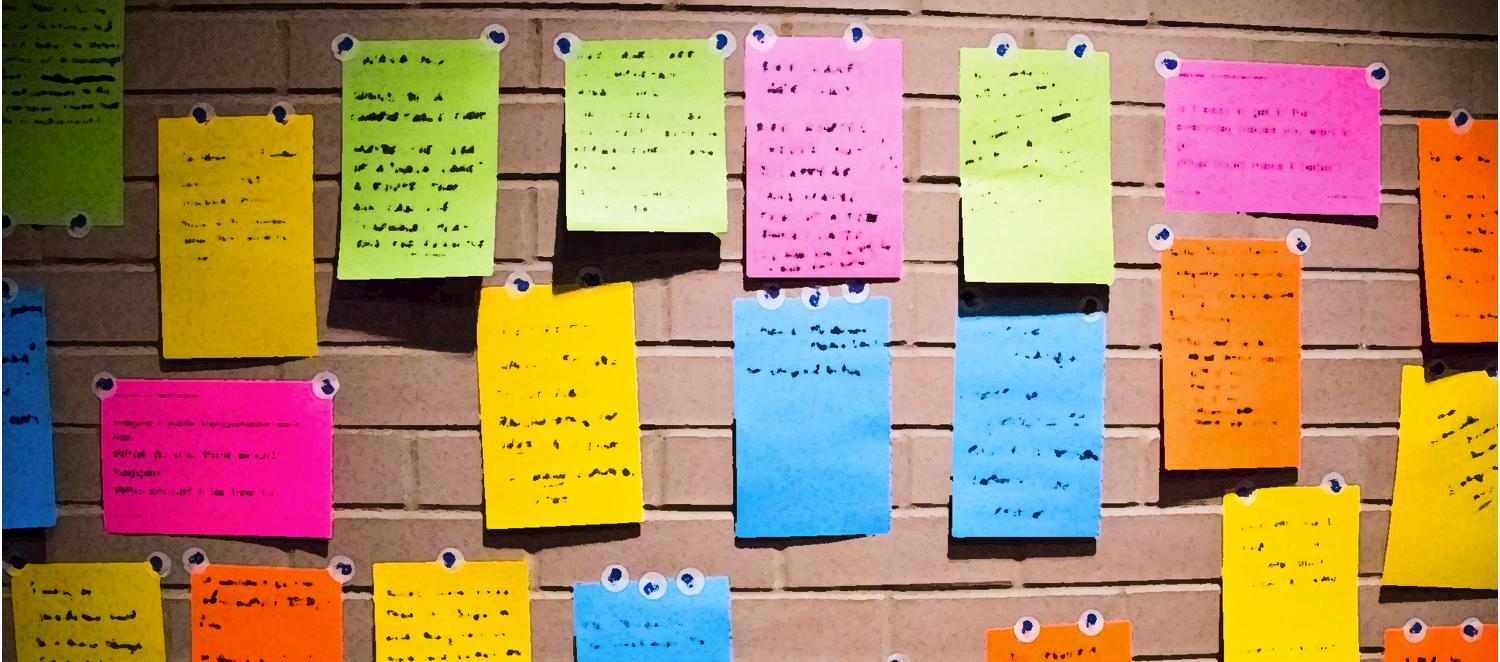
Flickr image source: http://tinyurl.com/okhuqz2
After collecting far too many stories about how customers had resorted to stitching together different parts of our product to solve the same problem, I decided to regroup with the extended product team to revisit how we might address the actual needs of our users.
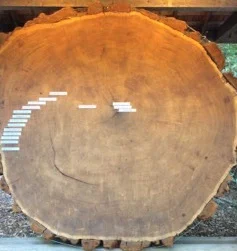
I can measure the age of some of our primary product components in terms of years. This has positive and negative implications. On the plus side, I have a wealth of real-world application to draw upon as generations of users have been recording feedback with us about what is and isn't working (it is not uncommon for us to work with multiple Administrators at the same company due to turnover). All this input gives the team and I a wealth of information to sift through to find patterns of use.
On the other hand, I now also have both a significantly hardened code base that is more difficult to change and a larger user base that would be affected by any serious product revisions.
What drove this decision
I first started seeing the patterns emerge when I was embedded with the Sales Engineering team. Customers were asking for a way to start the same business process from two different points. We had built a tool specifically to accommodate the first case but unfortunately, to address the other starting point, we and ultimately our customers, were forced to reach for an alternative component.
Administrators found that configuring this second approach was harder but what's worse is that the resulting activity provided a completely dissimilar end user experience!
When I spoke with our Professional Services team who often assist new customers with their initial implementation, I confirmed that this was a common scenario and there was indeed pent up demand for a better solution.
The decision: Go back to the drawing (white-) board to review this prominent customer use case and find a more suitable way to solve this for our users.
I didn't feel like we needed to start with a blank page. After all, our customers had all found a way to make our software work and many of them had taken the exact same approach to get there. What was bothering me was that we hadn't given them an obvious solution path and more importantly, the end user experience was disjoint and reflected poorly on the product.
By gathering in one place the sharpest minds from each relevant department in our company, I would have an opportunity to apply some good, creative thinking to the problem. But leading a group discussion like this, especially with multi-disciplinary lineup would require some planning and coordination.
Plan of attack
I had been gathering details around this problem for months, and so I set about reviewing my notes to create some initial hypotheses. I poured through my notebooks, Jira stories, customer interviews, and related research to organize my thoughts.
In the end, I had some solid starting points for the discussion but stopped well short of outlining a final solution for fear of stifling the creative process.
Prep ahead of time to streamline the conversation
I had some presumptions for how I thought (hoped?) the brainstorming conversation would go. The day before, I stayed after work and put some initial thoughts on a big whiteboard. My intent was to use this as a backdrop for the dialogue.
In my experience, I have found that it is much easier to get people talking when they already have something to bounce ideas off of even if the starting material is somewhat inaccurate or incomplete.
Assemble a good quorum
I was genuinely interested in securing multiple points of view, but I also wanted to cover my bases so that the outcome could be vetted by all interested stakeholders. To that end, I invited participants from Engineering, UX, and Product as well as from Sales and Professional Services.
The latter was crucial for validating and clarifying the customers' challenges. The former ultimately helped me discover a product solution that was feasible and usable.
Have open-ended questions ready
Brainstorming often works better when there is some amount of prompting involved. I had already planned to facilitate but in a larger group, it can take actual prodding to make sure everyone's voice is heard. I prepared questions, some technical and others around usefulness, to provide sufficient opportunities to participate.
Even if I had already known the answers to the questions, I would still have incorporated them as collaboration tactics to get the ideas flowing and to promote a healthy discourse.
Stay on topic
Brainstorm sessions are expected to wander a bit which can actually encourage involvement and inspiration. But I had scheduled a short meeting so I also had to make sure I got what I needed from the group to be able to move forward. The trick was to limit the number and scope of conversation topics.
I started with a clear topic outline and stated what I needed the group to help me achieve. A few times I had to gently steer the discussion to get it back on track or to park issues that would have derailed us or sapped valuable minutes.
The impact
My meeting of the minds was ultimately a success. We confirmed several of the core hypotheses and as a result, I was able to proceed with my product planning. I was also pleased to have several new ideas enter the mix as well. In fact, there was one outcome in particular that I did not anticipate and that ultimately proved to simplify the resulting solution.
The approach I described here is a more formal approach to brainstorming, but it worked well given my constraints. With a bit more preparation up front and some lightweight oversight for the actual discussion, I was able to achieve positive results in a relatively short period of time.
Look for more reports from theProductPath around product strategy and product culture here on PM Decisions.
More articles from our blog PM Decisions


Conduct high-priority product research
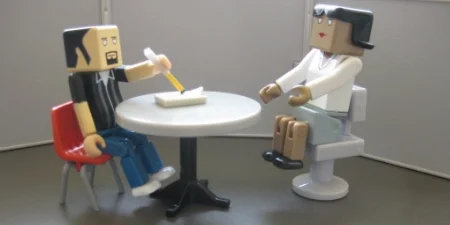
To address one of the most critical problem areas for customers using our software platform, I decided to roll up my sleeves and conduct the fieldwork myself.
The Product Decision: Enlist the help of our User Research expert to coordinate formal interviews with a suitable group of administrators and end users from our active customer base.
Flickr image source: http://tinyurl.com/pmvvurb
To address one of the most critical problem areas for customers using our software platform, I decided to roll up my sleeves and conduct the fieldwork myself.
For many months, we had been recording feedback from our customers, some direct, some indirect around one particular area of the product. Everyone agreed that we had delivered really powerful features - the common challenge was in the setup and configuration. We had made it too complex to use this valuable piece of the product!
I couldn’t agree more. I knew how hard it was, even for more technical users to configure the tools. I have a deep programming background but even I would struggle trying to ramp up on proprietary schemas with cryptic configuration syntax and poor documentation.
We had been attempting to compensate and even head off frustrated customers by offering to have our own Professional Services team help get customers up and running. But that only served to delay the inevitable as the complaints would then change to “even if you build it for me the first time, I’m not confident I can take it over and maintain it!"
What drove this decision
I had been anticipating a suitable window of time where we could focus on revisiting and rethinking these problems. The teams had been making good progress on some of the pre-requisite components that would be leveraged to rebuild this key feature of our platform. It was time to initiate a round of interviews with customers about how they use the current product, what (if anything) they liked about it and what (again, if anything) they could point to that causes problems for them or their end users.
I wanted to take full advantage of this opportunity to get out of the building, to speak directly to users and reinforce this important research activity with the members of my Product team. Mostly though, I wanted to improve our product and make our customers happy.
The decision: Enlist the help of our User Research expert to coordinate formal interviews with a suitable group of administrators and end users from our active customer base.
I am fortunate to have a talented resource on our team who has raised the bar around user research for our entire company. She continues to guide us all on the finer points of interviewing users early on around product discovery and later on for product usefulness and usability. With her by my side, I felt very confident that we would get to the crux of the problems and ultimately, be able to prioritize the work to come.
While I was eager to get started and optimistic about what we would learn, I heeded my colleague’s advice and adhered to the plan we made to ensure a favorable outcome.
Plan of attack
It was so tempting to just start writing requirements. But I've been wrong before.
I have used our product internally and I have also demoed it hundreds of times to customers so I felt confident that I knew what was wrong and what would need to be fixed. It was so tempting to just start writing requirements.
But I’ve been wrong before. Let me say that again, I’ve been wrong before. I have felt strongly about how our product should work and went straight to the Engineers with requirements only to find out, after they had spent valuable time implementing the stories that there were no customers lined up to use the new enhancements.
Start with hypotheses and a good prototype
Because I was so familiar with this particular part of our platform, I was able to quickly compose a lengthy list of hypotheses of pain points where I would expect to hear complaints from both heavy and casual users:
- We believe Admins are struggling to initially configure a URL to set up a new instance of [tool] in environments like Salesforce.com.
- We believe end users are frustrated with the number of clicks required to complete the ... process, especially if only one document is necessary.
- We believe Admins are resisting adopting and expanding their use of [tool] because it lacks good error handling, is difficult to test, and has too few options for controlling its behavior for the end user.
- We believe end users struggle with scrolling and otherwise navigating through the different areas of the page, e.g. with long lists of templates or with very long data forms and may find it helpful to track incremental progress as they work through sections of a longer form.
- We believe end users are underwhelmed with the stark layout of the [tool] page, the lack of branding, and the lack of any help text.
- We believe end users struggle with using the [tool] with different browser window sizes, specifically when the buttons move around when the page is resized.
- ...
I then had the UX team mock up a clickable prototype that addressed some of the primary concerns and that would allow us to better engage with our interviewees.
Recruit and track participants
To build a list of participants, I first reviewed the customers who were already part of our formal “labs” program (always be recruiting!). Then, I put the word out to our Sales and Professional Services teams to identify other viable customers with whom we could talk. The resulting list was manageable enough for us to track using a shared spreadsheet that included contact information, interview dates, and miscellaneous notes.
Flickr image source: http://tinyurl.com/nomqgdl
| Contact Names | Organization | Preferred Phone/Email | Participation | Last Contact Date | Future Participation | Primary Internal Contact | Notes |
|---|---|---|---|---|---|---|---|
| Nellie Bluth | The Bluth Company | nbluth@thebluths.com | Asked to be included in Fall research initiatives | 7/12/15 | Also willing to help with... | Maggie Lyes, Acct Mgr | Has been helpful in the past but admits to not being technical |
Conduct and record the interviews
When we had accumulated a sufficient list of suitable users, I crafted and sent out an email invite along these lines:
“Hello Vincenzo, I would like to enlist your help for a product research initiative.
I head up the Product team and am leading an active project to learn more about how customers are using our tools. I am reaching out to you because your group is currently using [tool]. I believe you would be able to provide some great feedback on what is and isn’t working well.
If you are interested in participating, the next steps are easy:
1 - Reply to this email with some available interview times over the next 2-3 weeks.
For example, “Tuesday mornings are better”, “tomorrow”, “Wed/Thurs between 3-5pm Pacific”.
2 - Prepare to walk us through how you or your end users use [tool] today
This is a great opportunity to tell us about your successes with [tool] as well as things that would make it easier for you. The conversation should not take more than 45 minutes.”
Not surprisingly, our more fervent users responded immediately. With the others, it sometimes took a little more effort to secure the interviews. We mostly used virtual web meetings to conduct and record the interviews where the customer did most of the driving while we watched.
Our agenda for the interviews followed this path:
- Show us how you use the product today [50% of the interview time was spent here]
- As an [administrator, end user], what would you say if anything, are your favorite things about [tool]? [10%]
- What, if anything causes you or your users problems when using [tool]? [20%]
- Switching gears, we'd like to show you our ideas for a new design... [20%]
I had an intern transcribe notes from the recordings, putting all the material in a central repository so we could index it properly and share it with the rest of Product and Engineering.
The impact
The customer interviews went smoothly giving me exactly what I had hoped to obtain. There was plenty of validation around our current shortcomings, some surprises about certain attributes that users found valuable, and an abundance of constructive griping. The early prototype seemed to be a hit with users and gave me additional confidence to pursue that path.
I expect to deliver a first round of product improvements in the very next release and will continue to engage these customers to validate our efforts. Look for more reports from theProductPath around customer research, product validation, and feature prioritization here on PM Decisions.
More articles from our blog PM Decisions


Make Product Decisions Like Cagan
In what many Product Managers might consider an average week, I made three classic product decisions that would make Marty Cagan smile.
The Three Product Decisions: Determine what was most valuable for our customers, what was most usable by our end users, and what was most feasible according to our Engineering team.

Image sources: https://www.flickr.com/photos/68751915@N05/6848823919, https://www.flickr.com/photos/nataliedowne/6446884983, https://www.flickr.com/photos/norue/9625271288
In what many Product Managers might consider an average week, I made three classic product decisions that would make Marty Cagan smile.
After spending more than 10 years in the Product Manager role, I can't actually recall an average week. Perhaps we are attracted to the role for that reason - because it is unpredictable. If it's not changing requirements at one end, then it might be new technology "insights" at the other. The cast of characters we will work with week to week is variable too as new customer prospects enter the picture and compete for attention with existing customers that have their own unending wish lists.
To be successful, Product Managers must be able to navigate these challenges week to week. Good mental frameworks are essential to making sound decisions and to maintaining credibility over time. When you are feeling overwhelmed, however, you may find it helpful to confront the tough product decisions with this deceptively simple approach.
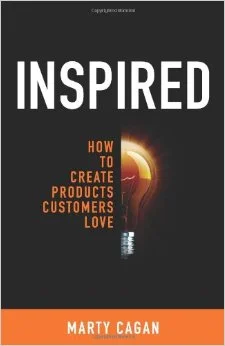
Inspired - How to Create Products Customers Love by Marty Cagan
What drove these decisions
Most Product Managers have run across Marty Cagan’s book Inspired - How to Create Products Customers Love. I consider it a must read for anyone in the general vicinity of Product Management.
Among the many gems in this book, Cagan identifies three fundamentals ways to validate your product decisions: determine what's valuable for your customers, what is usable by your users (not always the same personas as the actual buyer), and what is feasible given the resources you have at your disposal.
These are not mutually exclusive. Whether you're early in your product discovery or tackling a thorny issue for customer 10,001, you need to land on a resolution that best balances these three forces in order to move forward.
Over time, with practice, this starts to become instinctual and woven into your daily PM routine. You may even be surprised, as I was, in reflecting back on an "average" week that there is a very valid reason for why many of your product decisions had turned out so well.
The Three Product Decisions: Determine what was most valuable for our customers, what was most usable by our end users, and what was most feasible according to our Engineering team.
In this particular week, I made and can highlight three, separate decisions for our product and ultimately, for the future success of our company. What makes these particular decisions stand out from the dozens I made is that each was particularly punctuated by one of Cagan's three principles.
Plan of attack
Decision 1 - What’s MOST Valuable
The team had been exploring how we could redesign an existing product feature and was driving that discussion using input we had gathered from rounds of customer testing. As we unwound the different pieces of the story, we revealed the true underlying complexity and ultimately determined that it was too big to tackle all at once.
I decided to break up the larger story into 3 smaller, discrete pieces and sequence the resulting work to deliver incremental improvements over time - a common problem solving approach. But this decision made it much easier for the team to single out which piece would ultimately provide the most value to our customers and, all other dependencies aside, which we would schedule first.
Decision 2 - What’s MOST Usable
In a separate thread, the team was reviewing feedback we received after showing a proposed new design to some of our end users. We had been planning to introduce a completely new design to address some known usability problems with a particularly popular feature.
Few things are more influential for a Product Manager than hearing end users describe how they use, or would use your product to do their job. It was precisely this feedback, straight from our users' mouths, that prompted me to scale back the new design. It turns out that we had been overthinking the problem and could actually deliver a more usable solution with fewer changes (i.e. less work on our end).
Decision 3 - What’s MOST Feasible
Software Engineers like to explore new technology. I know this from having spent the first 10 years of my career as an enterprise software developer. In this current company, I had been having conversations with the Engineering team about how we would tackle a large, scale-related challenge deep in the bowels of the platform (not customer facing). The team had fully researched and had achieved some early success with an alternative technology that seemed applicable for this particular problem.
So, in this very same week, we had come to a point where I needed to make the call on whether to schedule the scale-related work for an upcoming release. And while the Engineering team was convinced the technology would ultimately solve our challenge, we were not jointly confident in our collective ability to proceed safely. Because of this uncertainty around technical feasibility, I swapped out the work from the release, postponing it for a later date after more research and experimentation could be done.
The impact
As I mentioned at the start, these types of decisions are commonplace in a Product Manager's average week: problem decomposition to help reveal customer value, user testing to help reveal usability concerns, and ongoing engineering R&D to help reveal feasibility limitations. Still, it never hurts to return to some of the core product principles to remind us all why we are here. And thank you Marty Cagan for all your contributions, and for inspiring me.
Look for more reports from theProductPath around Product Feasibility, Usability, and Value here on PM Decisions.
More articles from our blog PM Decisions

To address one of the most critical problem areas for customers using our software platform, I decided to roll up my sleeves and conduct the fieldwork myself.
The Product Decision: Enlist the help of our User Research expert to coordinate formal interviews with a suitable group of administrators and end users from our active customer base.