Make Product Decisions Like Cagan
In what many Product Managers might consider an average week, I made three classic product decisions that would make Marty Cagan smile.
The Three Product Decisions: Determine what was most valuable for our customers, what was most usable by our end users, and what was most feasible according to our Engineering team.

Image sources: https://www.flickr.com/photos/68751915@N05/6848823919, https://www.flickr.com/photos/nataliedowne/6446884983, https://www.flickr.com/photos/norue/9625271288
In what many Product Managers might consider an average week, I made three classic product decisions that would make Marty Cagan smile.
After spending more than 10 years in the Product Manager role, I can't actually recall an average week. Perhaps we are attracted to the role for that reason - because it is unpredictable. If it's not changing requirements at one end, then it might be new technology "insights" at the other. The cast of characters we will work with week to week is variable too as new customer prospects enter the picture and compete for attention with existing customers that have their own unending wish lists.
To be successful, Product Managers must be able to navigate these challenges week to week. Good mental frameworks are essential to making sound decisions and to maintaining credibility over time. When you are feeling overwhelmed, however, you may find it helpful to confront the tough product decisions with this deceptively simple approach.
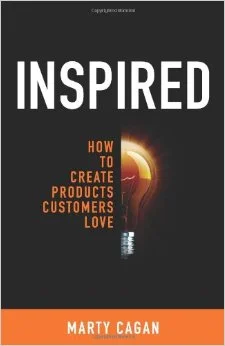
Inspired - How to Create Products Customers Love by Marty Cagan
What drove these decisions
Most Product Managers have run across Marty Cagan’s book Inspired - How to Create Products Customers Love. I consider it a must read for anyone in the general vicinity of Product Management.
Among the many gems in this book, Cagan identifies three fundamentals ways to validate your product decisions: determine what's valuable for your customers, what is usable by your users (not always the same personas as the actual buyer), and what is feasible given the resources you have at your disposal.
These are not mutually exclusive. Whether you're early in your product discovery or tackling a thorny issue for customer 10,001, you need to land on a resolution that best balances these three forces in order to move forward.
Over time, with practice, this starts to become instinctual and woven into your daily PM routine. You may even be surprised, as I was, in reflecting back on an "average" week that there is a very valid reason for why many of your product decisions had turned out so well.
The Three Product Decisions: Determine what was most valuable for our customers, what was most usable by our end users, and what was most feasible according to our Engineering team.
In this particular week, I made and can highlight three, separate decisions for our product and ultimately, for the future success of our company. What makes these particular decisions stand out from the dozens I made is that each was particularly punctuated by one of Cagan's three principles.
Plan of attack
Decision 1 - What’s MOST Valuable
The team had been exploring how we could redesign an existing product feature and was driving that discussion using input we had gathered from rounds of customer testing. As we unwound the different pieces of the story, we revealed the true underlying complexity and ultimately determined that it was too big to tackle all at once.
I decided to break up the larger story into 3 smaller, discrete pieces and sequence the resulting work to deliver incremental improvements over time - a common problem solving approach. But this decision made it much easier for the team to single out which piece would ultimately provide the most value to our customers and, all other dependencies aside, which we would schedule first.
Decision 2 - What’s MOST Usable
In a separate thread, the team was reviewing feedback we received after showing a proposed new design to some of our end users. We had been planning to introduce a completely new design to address some known usability problems with a particularly popular feature.
Few things are more influential for a Product Manager than hearing end users describe how they use, or would use your product to do their job. It was precisely this feedback, straight from our users' mouths, that prompted me to scale back the new design. It turns out that we had been overthinking the problem and could actually deliver a more usable solution with fewer changes (i.e. less work on our end).
Decision 3 - What’s MOST Feasible
Software Engineers like to explore new technology. I know this from having spent the first 10 years of my career as an enterprise software developer. In this current company, I had been having conversations with the Engineering team about how we would tackle a large, scale-related challenge deep in the bowels of the platform (not customer facing). The team had fully researched and had achieved some early success with an alternative technology that seemed applicable for this particular problem.
So, in this very same week, we had come to a point where I needed to make the call on whether to schedule the scale-related work for an upcoming release. And while the Engineering team was convinced the technology would ultimately solve our challenge, we were not jointly confident in our collective ability to proceed safely. Because of this uncertainty around technical feasibility, I swapped out the work from the release, postponing it for a later date after more research and experimentation could be done.
The impact
As I mentioned at the start, these types of decisions are commonplace in a Product Manager's average week: problem decomposition to help reveal customer value, user testing to help reveal usability concerns, and ongoing engineering R&D to help reveal feasibility limitations. Still, it never hurts to return to some of the core product principles to remind us all why we are here. And thank you Marty Cagan for all your contributions, and for inspiring me.
Look for more reports from theProductPath around Product Feasibility, Usability, and Value here on PM Decisions.
More articles from our blog PM Decisions


Create a reference application for our software platform
Looking to better promote our full-featured software platform to external developers, I decided we should lead by example.
The Product Decision: Build our own API-based application as a reference model for the developer community.
Image source: https://www.flickr.com/photos/kovah/15518650302
Looking to better promote our full-featured software platform to external developers, I decided we should lead by example.
After investing a great deal of energy in overhauling the publicly available programming interface to our cloud-based platform, our company was ready to release it to the masses. Our marketing team was developing a campaign to promote our revamped REST API but I felt that something was missing.
What drove this decision
Our original, SOAP-based programming interface, while feature-rich, was considered outdated and had truly lost favor with external software developers. It was time to embrace the new RESTful paradigm and we knew that we had some work to do to reengage this audience.
So, in tandem with the launch of the new REST API itself, the company was erecting a developer-focused, community-style web site to include a full set of method-level documentation and source code examples. We also planned to highlight a few partners and customers that had invested in the new API and who had built their own integrations to our platform.
But to really show off the power of this new API, to lead by example, we needed to do even more.
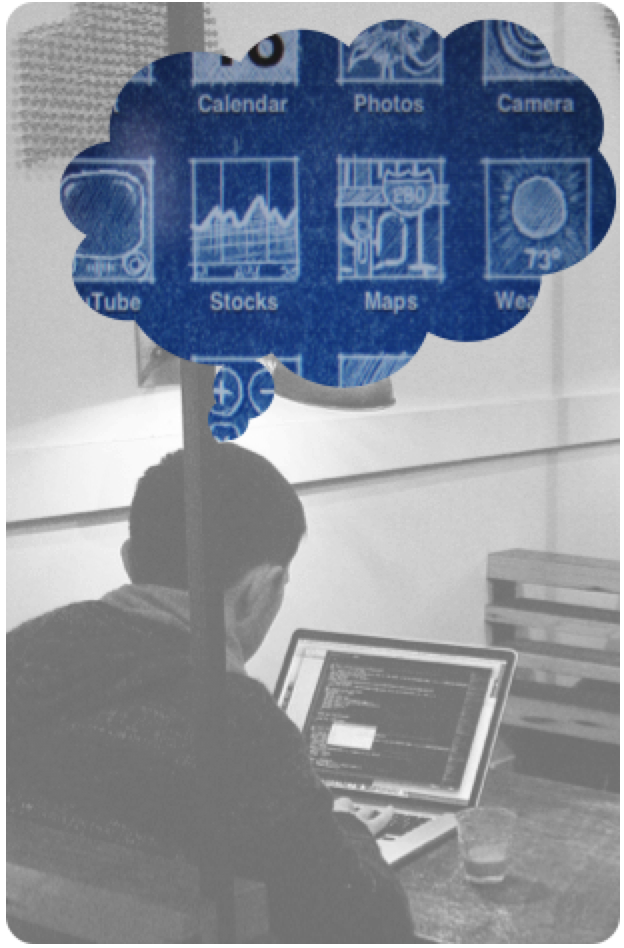
Image sources: https://www.flickr.com/photos/76886703@N00/6094026942, https://www.flickr.com/photos/sometoast/1405380577
The decision: Build our own API-based application as a reference model for the developer community
Several months before this decision, our Product team had started plans to deliver a lightweight, mobile-friendly application that would help our customers gain insight into the business processes that they were automating with our platform. However, we had not landed on the specific architecture we would use to build this new application.
This decision to create a reference app for the REST interface helped us connect a few important dots. We now had a path forward that would showcase the new API while also delivering value to our customer base.
Plan of attack
To pull this off, we first had to put ourselves in the mindset of the external developer - which was a bit harder than we expected. We would build our new mobile application as if we were operating entirely from outside the organization. We would try to limit our use of any internal tools or frameworks to artificially accelerate development or to negotiate deployment shortcuts. Only after we went through what our target audience would experience would we truly appreciate the effort involved.
The details of our implementation, which covers everything from negotiating API keys, session authentication and runtime usage governors to UX library components, responsive design, and error handling are beyond the scope of this post. What is more interesting perhaps is that we decided to chronicle the entire experience and share it publicly on the developer community site.
The impact
The greatest impact of this decision was a delay in getting our new mobile application to market. Choosing to go the full API route resulted in more time being spent configuring and troubleshooting the code for our mobile application - AND debugging the API itself.
There were up front costs and delays while we developed a parallel release environment and deployment schedule, separate from our primary code base; however, this ultimately helped us deliver iterations of the mobile application much more frequently as it could evolve independently without any direct dependencies on the underlying platform.
In the end, we would deliver our mobile application to happy customers who were completely unaware of our internal implementation decisions. But the payoff was magnified as we also delivered a complete application blueprint to external developers looking to embrace the platform.
Look for more reports from theProductPath around product investments, go to market choices, and software platform promotion here on PM Decisions.
More articles from our blog PM Decisions



Campaign for early Product Roadmap support
To increase the chances that the new Product Roadmap (and my first at this company) would win favor throughout the company, I decided to conduct a campaign to build early support for the Roadmap itself.
The Product Decision: Conduct a phased campaign to build early support for your new Product Roadmap before unveiling it to the masses.

Image source: https://www.flickr.com/photos/amycgx/3119640267
To increase the chances that the new Product Roadmap (and my first here) would win favor throughout the company, I decided to conduct a campaign to build early support for the Roadmap itself.
As the new guy now leading the Product team, I had my hands full getting up to speed in the first few weeks. My immediate concern was keeping the current Release on track but the greater challenge was creating a new Product Roadmap for the upcoming year and rapidly drumming up support within the company.
What drove this decision
Taking over a Product team at the beginning of a calendar year has some additional pressures as you might expect. Many internal and external parties are looking for clear indications of the overall product direction, the most concrete of which is the Product Roadmap.
Our company likes to kick off the new year with a rousing, all-hands pep rally for the entire company and one of the meeting's big agenda topics is the presentation of the refreshed Product Roadmap. A big reveal from me that early on would be risky as I hadn't built up sufficient credibility by that point. And with just a few weeks into this PM role, I really hadn’t hadn't been able to speak with as many departments as I had hoped. To pull this off, I needed to build a groundswell of support by having the various department weigh in on, or at least preview the Roadmap before I tried to broadcast it to the masses.

Image source: https://www.flickr.com/photos/israel-mfa/14616944000
The decision: Build support for the new Product Roadmap in stages
My ultimate goal was to present my new Product Roadmap to a room full of supporters. To improve my chances, I started a somewhat calculated crusade to win friends and influence people all around the company.
Plan of attack
There is no one, obvious way to plan a campaign like this but the strategy I recommend is to start small and with people whose opinions you value and push them to poke holes in your product strategy before moving to the next group. I have outlined the approach I took which proved successful.
Start with just the Product team
I began the exercise with my own Product team, perhaps the most empathetic of the groups I would encounter. These folks were the most patient and, because their future paths were most closely linked to the Roadmap, the most eager to engage. With this group's help, I was able to get my initial story straight, confirm the overall themes, and plug some minor gaps in the strategy.
run the roadmap past the Sales Engineers
The next audience I sought, though discretely, was with the Sales Engineers. I had worked closely with this team in the past and knew they would be supportive. I trust their general feedback but it was also important for me to vet out some of the key product decisions with someone who interacted more frequently and directly with our prospects and customers.
pitch to the Key Stakeholders
With my confidence growing, I moved on, skipping over the individual departments to gather all the stakeholders in a room. As you might expect, this group of department heads, their bosses and our senior leadership team is composed of a great number of strong personalities. But when invited to sit alongside their peers, even the feistiest individuals will often tamp down their protests, yielding to and general supporting the views of the larger group. I found this to be the case with my Roadmap presentation and used the inferred approval from the group to launch into the home stretch.
present to Individual Departments
With support from the top, I proceeded to set up separate meetings with each major department including Engineering, Operations, QA, and Customer Support. In each meeting, I tried to highlight those parts of the Roadmap that I thought would appeal most to each group. This proved valuable later, in the larger setting when I was able to direct different topics to specific members of the audience, with the effect of making it seem as though they had already endorsed the individual ideas.
Announce to the Entire company
The final stop in the campaign of dreams was pitching the Roadmap to the entire company. At that point of course, through all my previous efforts, I had eliminated the element of surprise. I had effectively planted sympathetic individuals in the crowd who consciously or not, were giving me the nods of support I needed.
And, while there was no thunderous applause at the end of my presentation, I did get relatively high marks for a "new guy". In fact, a number of people approached me afterwards with positive feedback and great suggestions about how to further socialize the Roadmap internally. For example, we decided to start using the many monitors hung on the walls throughout our office to track our Roadmap progress over the coming weeks & months.
The impact
When I look back, it is obvious to me that this kind of approach to build internal support takes more cycles than one big reveal. Meeting with each team, one at a time and reviewing the Roadmap over and over was certainly more work in the short term but has paid off. I still have to demonstrate that we can achieve what was promised but I should not be spending as many cycles defending the Roadmap itself.
Look for more reports from theProductPath around product roadmaps, promoting product ideas and working with stakeholders here on PM Decisions.
More articles from our blog PM Decisions



Create a shared space for departmental wish lists
In accepting a PM position with an organization that had no central place to capture and prioritize product-related requests generated from each department, I decided to pull together the lists from all the stakeholders into a common forum.
The Product Decision: Use Trello to pull together the wish lists from all the stakeholders into a common forum.
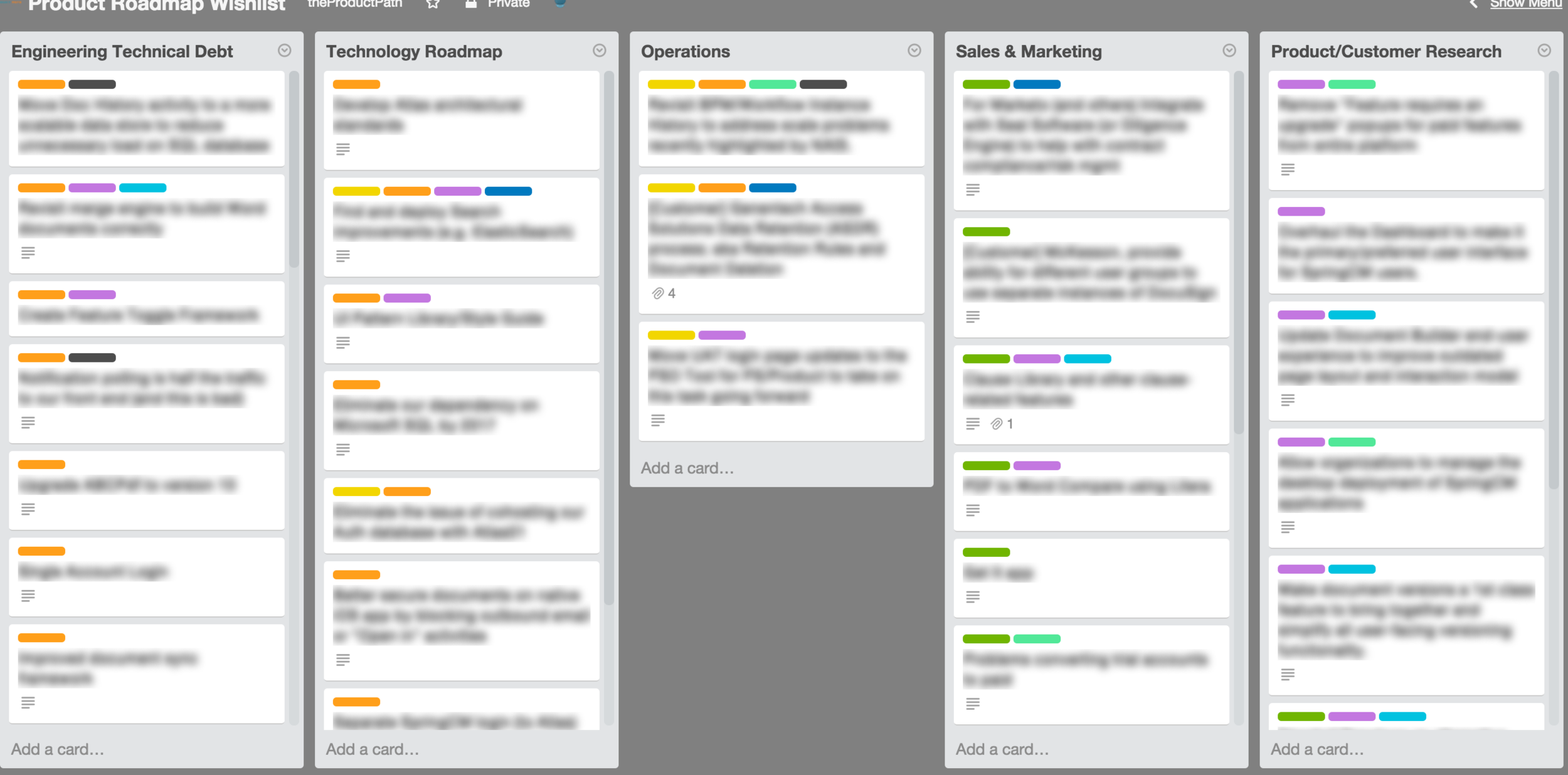
In accepting a PM position with an organization that had no central place to capture and prioritize product-related requests generated from each department, I decided to pull together the lists from all the stakeholders into a common forum.
Of course departmental wish lists had been created over the years but were languishing as disparate spreadsheets, as bulleted lists in shared Google docs and as giant backlogs in our issue tracking software. These lists had not been kept current, were not being shared, and thus were impossible to synthesize for product planning.
What drove this decision
So what I really inherited was a bigger challenge and this was a known problem throughout the company. The lack of a central place to discuss product priorities had led to more than a few skirmishes and past product releases had been poorly received as various constituencies inevitably had begun to feel neglected or and complained that the Product Team simply misunderstood their needs.
I am now in charge of the Product Roadmap. As any Product Manager knows, this is a challenging assignment as it involves collecting, verifying, and prioritizing inputs from many stakeholders. To get started, I wanted to review any previous roadmaps and revisit the current backlog of requests from Sales, Customer Support, Operations, etc. The old roadmap was easy to locate but when I started asking around for the backlog, I was surprised to learn that there wasn’t one.
The decision: Introduce the team to Trello

I needed to (re-)create a forum where each department could list their own issues and make them visible to the other groups. It had to be conducive for collaboration and ultimately, allow stakeholders to collectively agree on the next set of priorities. But most of all, it had to be easy to use.
I decided we would begin planning high level product strategy using a shared Trello board. Trello is a flexible online tool that helps you organize lists and is very simple to use.
- The free version would more than suffice for the size of our team and our limited needs
- Those who chose to invest more energy in capturing their requests would have ample means to do so using Description fields and other Trello features
- Each card would have its own comment thread to encourage and preserve group discussions
- Users have the option to use card-level voting to avoid duplication and find common ground
- Plus, the good folks at Trello have made it work equally well in browsers, on tablets and on mobile phones
Plan of attack
I cannot share our company's product priorities here of course but you may adapt this approach for your company's own planning needs.
Build new board with a good name
I started by creating a new Trello board for our company and named it “Roadmap Priorities”. I chose the name intentionally as I knew I would need to push back on well-meaning folks who would get carried away creating cards that were important to them and the company, but ultimately unrelated to our product strategy. Instead, I encouraged them to create separate Trello boards for their own departments.
Create a list for the current release
To provide some perspective to the group, I created the first list on the board and backfilled it with cards that represented our current set of priorities, mostly to provide a model for what we would be aiming for in future strategy sessions. I made this the left-most list on the board so they would see it first and that proved helpful in on-boarding users who were new to Trello.
Prime the board with existing lists and examples
I created separate lists for each Department so that each would have a place to add their own set of cards. In an effort to prime the pump, I imported a few lists from existing spreadsheets that had been floating around some of the departments. For other groups, I created some sample cards to give them a starting point. In this way, I was able to accelerate the adoption of Trello and the roadmap planning discussions.
Use colored labels for Each department
I used Trello’s colored Labels to assign a unique color to each department. This has made it easier to identify the originating department for each request and, as we move over cards to create a single “Release” list, has allowed us to see the relative priorities of each department. Even better, by combining multiple departmental labels on a single card, we were able to quickly find common ground among common requests.
Invite collaborators to the board
I formally invited all the department heads to join the board. For some teams, it made sense to invite more than one person, especially where I anticipated some early, tool-related friction. Each collaborator received a friendly email invitation with a simple call to action to join the Trello board.
Onboard stakeholders
Even though Trello makes the sign-up process easy for new users, I expected and struggled with early engagement. As a precaution, I also schedule 15-minute meetings with each stakeholder to get them past the initial access challenge (e.g. logging in) and to provide a quick tour of Trello. The preparation (described above) went a long way to getting early buy-in. Stakeholders immediately identified with their department and were comforted to see familiar items in their own lists.
In explaining to the stakeholders how I would be using the board and the cards on each list, I also tried to motivate them by strongly implying that the best prepared departments would have a chance of seeing their priorities folded in to our roadmap.
The impact
The results for our company have been quite promising in these early weeks. Five of the six departments have been very active on our Roadmap Priorities board and that is making the planning for our next release much easier for the Product team. Trello deserves a great deal of the credit for providing such an amazing tool and we have witnessed its broader adoption throughout the company.
Look for more reports from theProductPath around Trello, roadmap planning, and working with stakeholders here on PM Decisions.
More articles from our blog PM Decisions



In a dauntless attempt to answer the near ubiquitous question, "What does a Product Manager do?", I decided to dedicate an entire year to recording and sharing my own journey down the product path.
The Product Decision: Contribute to the growing body of knowledge by sharing weekly accounts of my on-the-job product experiences as the Head of Product for a late stage startup.